
Funny Would You Rather Generator for Students

I’ve lost count of how many times I’ve needed a quick activity that gets everyone talking without turning the room chaotic.
This funny Would You Rather generator for students grew out of that exact need, something clean, genuinely silly, and easy to use on the spot.
No awkward questions, no complicated setup. Just pick the age group, click generate, and you instantly have a prompt that works for a brain break, a morning meeting, or a simple writing warm-up when the energy needs a reset.
Funny Would You Rather Generator for Students
Clean, classroom-friendly prompts.
Teacher note
These are silly, non-embarrassing prompts. If you want a “quiet mode” set (no sound/singing), swap out any items in the list.
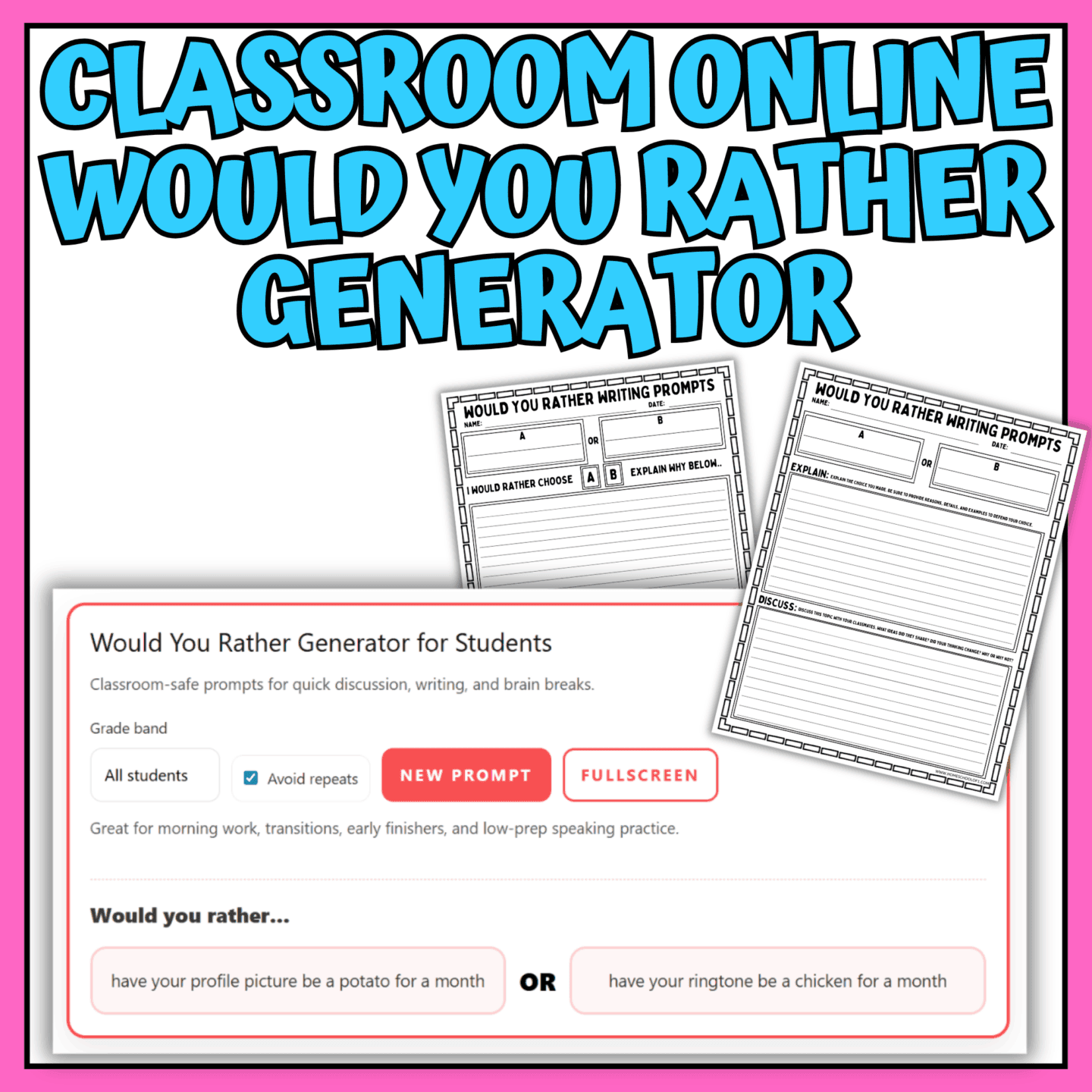
Want an easier way to use this in the classroom?
Use the classroom Would You Rather generator with no ads and no distractions, just the tool on one screen, plus printable writing prompts and discussion pages.
How to Use the Online Would You Rather Question Generator
This classroom-friendly random question generator is designed to be simple, fast, and genuinely fun. Here’s how it works:
- Choose the age group – Select elementary, middle school, high school, or “all students” from the dropdown menu. The prompts automatically adjust to stay age-appropriate and clean.
- Click Generate – Press the Generate button to display a new classroom Would You Rather question with two silly options. Each one is designed to spark laughter and light discussion.
- Avoid repeats (optional) – Keep the “Avoid repeats” box checked if you’re using it for longer sessions. The tool won’t repeat questions until the full set has been used.
- Copy if needed – Want to project it, paste it into Google Classroom, or add it to a slide? Click Copy to grab the current question instantly.
- Reset anytime – Click Reset to clear the screen and start fresh.
You can use it for quick brain breaks, morning meetings, writing warm-ups, or just five minutes of end-of-day fun without any prep at all.
Classroom Rules That Keep it Fun (And Not Chaotic)
A clean Would You Rather question can quickly turn into 20 students talking at once, so a few simple ground rules make all the difference.
Start with one sentence answers only. Each student chooses option A or B and gives a short response before anyone explains their reasoning. This keeps things moving and prevents long speeches.
Once everyone has picked, invite a few volunteers to share their “why.” Limiting full explanations to a handful of students keeps the energy high without losing control of the room.
Make respectful listening non-negotiable. No teasing, eye-rolling, or “that’s weird.” The whole point is that there isn’t a right answer, just different perspectives.
Finally, allow an opt-out. If a student doesn’t want to answer a particular question, they can pass without pressure. That simple option keeps the activity light and safe for everyone.
With those expectations in place, the interactive classroom game stays silly, fast, and genuinely enjoyable instead of turning into chaos.
Why Would You Rather Works for Students
Would You Rather might feel like pure silliness, but it quietly builds several useful skills.
First, it strengthens speaking and listening. Students practice giving a clear, concise answer and listening to classmates without interrupting. Even reluctant speakers often feel more comfortable responding to a light, low-stakes question.
It also develops reasoning skills. When students explain why they chose one option over the other, they’re comparing ideas, weighing consequences, and justifying their thinking in a structured way.
Turn-taking is another built-in benefit. Because each student gets a chance to respond, they practice waiting, responding appropriately, and respecting different viewpoints.
Finally, it expands vocabulary and perspective-taking. Hearing how others interpret the same question exposes students to new words, creative thinking, and alternative ways of seeing a situation.
It’s quick, fun, and surprisingly effective as a mini critical-thinking exercise.
Ways to Use it in Class or Homeschool
This family-friendly Would You Rather generator is flexible enough to fit into almost any part of the day.
Morning meeting – Start the day with one quick question. Go around the circle and have each student give a one-sentence answer. It’s an easy way to warm up speaking skills and set a relaxed tone.
Brain break – In the middle of a long lesson, generate a question and let students stand if they choose option A and sit if they choose option B. It gets everyone moving without losing control of the room.
Writing warm-up – Display a question and have students write their choice plus three reasons to support it. Older students can add a counterargument explaining why someone might choose the opposite option.
Debate-lite (“convince us”) – Split the class by choice and give each side two minutes to come up with the strongest argument for their option. If you want more structure, try a debate prompt generator for students to introduce new topics quickly.
SEL check-in – Use a question as a discussion starter: “What would a good friend choose?” or “Which choice shows responsibility?” This shifts the focus from funny answers to thoughtful reflection.
It’s quick to set up, requires no materials, and works just as well in a homeschool setting as it does in a busy classroom.
Would You Rather Questions for Kids (Examples)
Here are 10 classroom-friendly examples pulled directly from the online game, with a mix of elementary, middle school, and high school prompts:
- Would you rather have a backpack that quacks every time you open it or shoes that squeak like a mouse when you walk?
- Would you rather have to talk like a pirate during math or talk like a robot during reading?
- Would you rather have hair that changes color every time you laugh or shoes that light up every time you blink?
- Would you rather have your locker play elevator music when it opens or announce “WELCOME BACK” in a dramatic voice?
- Would you rather have your phone autocorrect everything to emoji or to medieval English?
- Would you rather have to narrate one hallway walk like it’s a runway show or like it’s an action movie?
- Would you rather have your calculator talk back (politely) every time you press a button or only communicate in motivational quotes?
- Would you rather have to start every answer with “In this economy…” or end every answer with “Thank you for coming to my TED talk.”?
- Would you rather have a classroom clock that runs 2 minutes fast or 2 minutes slow?
- Would you rather have a teacher who speaks only in rhymes for one day or only in movie quotes for one day?
If you want more, just use the tool above to keep the questions coming, there are currently 70 different Would You Rather question pairs (140 total answer options), so you can play multiple rounds before you ever see a repeat.
FAQ
Yes, this Would You Rather online tool is completely free to use for teachers, homeschoolers, and families.
Yes. All questions are clean, age-appropriate, and designed to avoid embarrassing or inappropriate scenarios. They’re suitable for classroom use across multiple grade levels. You may prefer the classroom version with no distractions.
Absolutely. You can select elementary, middle school, high school, or “all students” from the dropdown menu to match your group.
If the “Avoid repeats” option is checked, the generator will cycle through all available questions before starting over. There are currently 70 different question pairs in the tool.
Yes, the tool is fully responsive and works well on laptops, tablets, and phones.
Definitely, students can choose an option and write three reasons to support their choice, compare both sides, or turn the scenario into a short story. It works especially well as a quick writing warm-up.
More Interactive Tools Students Love
If your class enjoys this Would You Rather online generator, you might also like these free interactive tools:
- Scattergories Online – Roll a letter, set a timer, and challenge students to think fast.
- Random Name Picker – Fairly choose who answers next or who goes first.
- Team Divider Tool – Instantly divide students into balanced groups.
- Letter Randomizer – Great for spelling games and quick vocabulary challenges.
- Random Writing Idea Generator – Turn discussions into creative writing practice.
All of these tools are designed for quick classroom use, homeschool learning, or simple family fun.
