Finding coding toys for teens and tweens that are genuinely fun can be tricky. Some are too basic, while others jump straight into complicated programming.
Over the years, my son and I have tried coding games, robots, and hands-on kits, from beginner block coding to Python and game design. These are the coding gifts that kept him interested while actually building useful skills.
I’ve included options for ages 10–14, whether they’re completely new to coding or ready for something more challenging.
**This post may contain affiliate links. As an Amazon Associate and a participant in other affiliate programs, I earn a commission on qualifying purchases.**
Coding Toys and Kits That Build Real Skills
Not every coding kit keeps kids interested for long. The best coding toys combine problem-solving with enough hands-on fun to make them want to keep experimenting.
These are the ones that stood out for us, from coding games and robots to kits that introduce real programming skills without making it feel like another lesson.
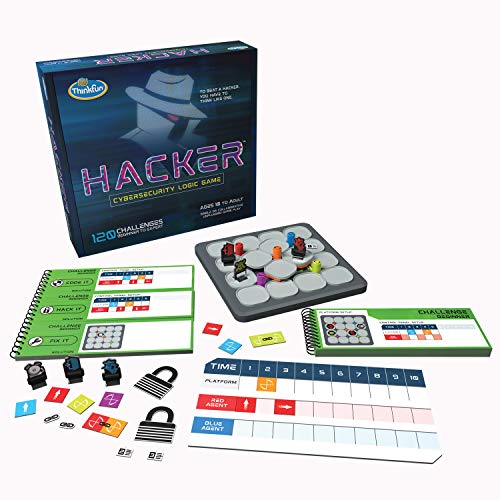
Hacker Cybersecurity Coding Game
We picked this up when I was trying to find something coding-related that didn’t involve another screen. It ended up being one of those quiet games he’d pull out on his own. The challenge cards start simple but get tricky fast, a few of the later ones took real concentration.It doesn’t look like “coding” at first, but it builds sequencing and logic in a very direct way. If your child likes puzzle books, Sudoku, or brainteasers, this fits that same mindset. It’s especially good for independent kids who don’t need constant interaction.This is a great one player game for children.
Read More
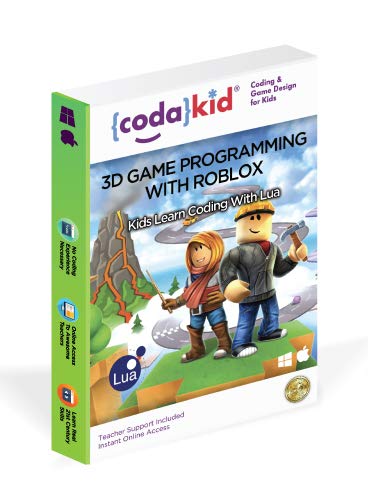
Roblox Coding
If your tween already spends time in Roblox, this makes sense. Instead of just playing games, mine started building them. We used Codakid, and I appreciated that it teaches real Lua scripting rather than only block-based coding.The lessons are short and structured, which helped with follow-through. What made the biggest difference was seeing something he coded actually run inside Roblox Studio. That shift from consumer to creator was noticeable. This works well for kids who are motivated by gaming but are ready to understand what’s happening behind the scenes.
Read More
mBot Neo Programming Robot
This is more of a build-and-learn project than a quick gift you open and start using immediately. We set aside an afternoon to put it together, and that first session definitely required some patience. Once it was assembled though, it became much more interesting.It starts with Scratch-style coding, which makes it accessible, but you can move into Python as skills improve. What worked well for us was seeing it progress from simple movements to more intentional actions. It’s best for kids who enjoy building first and coding second, and who don’t mind figuring things out as they go.
Read More
Code Master Programming Logic Game
If your kid enjoys logic puzzles, this one’s a winner. Code Master doesn’t feel like “coding” at first, but that’s what makes it work. My son treated it like a brain teaser game, but he was building real programming logic without even noticing. It’s great for quiet play, and perfect if you’re trying to reduce screen time but still want them practicing problem-solving. Works well solo and keeps them thinking.
Read More
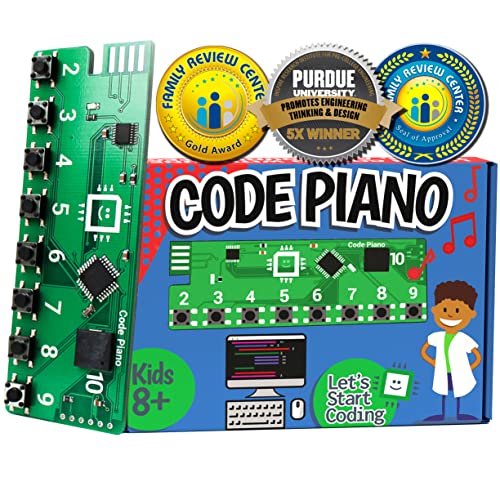
Code Piano Coding Toy
This worked well in our house because it blended music and coding in a way that didn’t feel forced. You don’t need any musical training to use it, but if your child already plays an instrument, they’ll probably connect with it faster.The setup was straightforward, and the tutorials are manageable without constant supervision. It introduces circuits and basic programming concepts through sound, which makes it feel different from typical robot-based kits. A nice option if your tween enjoys experimenting rather than just following instructions.
Read More
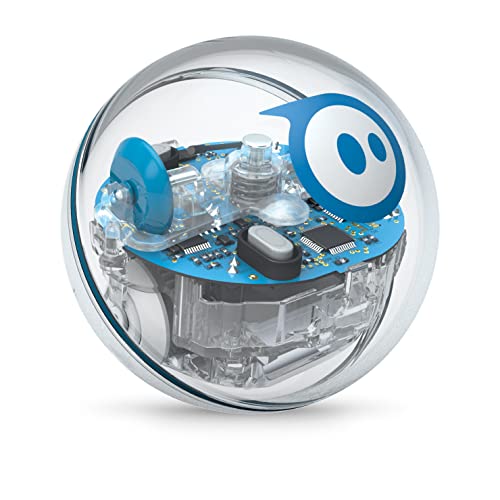
Sphero SPRK+
This is one of those gifts that looks like a toy first and an educational tool second, and that’s part of the appeal. Mine immediately started setting up obstacle courses and trying to improve lap times before even thinking about the coding side.You can program it through the Sphero Edu app using block coding or JavaScript, but the real hook is seeing it respond instantly. It’s especially good for kids who need movement and quick feedback rather than long build sessions.
Read More
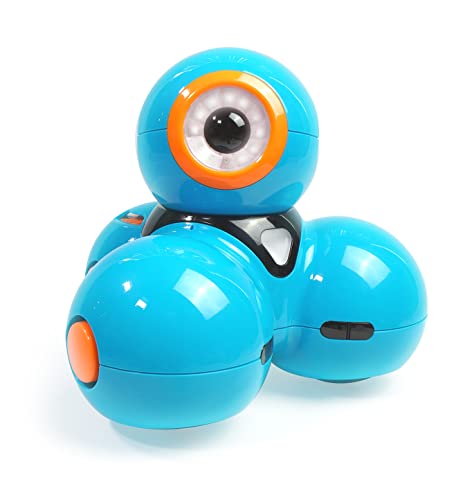
Coding Robot for Kids
We used Dash when my son was on the younger side of the tween range, and it was a great entry point into robotics. It’s colorful, interactive, and comes with a subscription to Class Connect, which added a lot of depth with new challenges. I appreciated how much it grew with him, he started with simple Blockly commands and eventually built his own sequences and reactions. It’s fun, educational, and packed with content that doesn’t get boring and one of the best toys for 10 year old boys.
Read More
Bloxels Build Your Own Video Games
This one feels like a mix between art, storytelling, and game design, and it’s more hands-on than you’d expect. My son liked physically placing the colored blocks on the gameboard and then watching them come to life in the app. It’s a creative entry point into video game design, especially for kids who prefer building characters and worlds over typing lines of code. Good for visual learners and those who want to design, not just code.
Read More
Mega Cyborg Hand STEM Experiment Kit
Not traditional coding, but this kit was one of the most memorable builds we’ve done. The mechanical hand actually moves with your fingers, and while it doesn’t involve programming, it’s packed with engineering thinking and problem-solving. It was messy, challenging, and incredibly fun. If your tween leans toward hands-on tinkering, this is a great option to spark interest in robotics before jumping into actual coding.
Read More
JavaScript Coding for Teens: A Beginner’s Guide to Developing Websites and Games
This is more of a traditional resource, but it’s written in a clear, engaging way that made it easier for my son to follow on his own. It focuses on building websites and games with JavaScript and doesn’t assume prior experience. We paired it with a simple code editor online and he was able to get started without much help from me. A solid choice for tweens ready to move from visual coding to something more advanced.Check out all of the best books about coding for kids
Read More
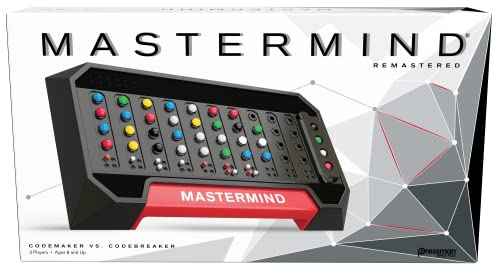
Mastermind Game
Okay, this one isn’t coding in the tech sense, but hear me out, it’s pure logic. We’ve played Mastermind for years, and it’s still one of our favorite quick games. It’s all about decoding patterns and using deductive reasoning, which are foundational skills for any programmer. Great for two players, doesn’t require setup, and sneakily supports coding thinking without a screen in sight.
Read More
Looking for ways to build on these gifts? Check out our favorite coding sites for students, they’re perfect for keeping kids learning and creating.
Last Updated on 22 September 2026 by Clare Brown