
Digital Homeschool Planner Options for Organized Planning

Some years I’ve kept everything in a notebook. Other years I’ve switched to a digital homeschool planner because our schedule just wouldn’t stay put.
When appointments move or a lesson takes longer than expected, rewriting the week gets old fast. That’s usually when I start looking at online tools instead.
Here I’m comparing two digital homeschool planners, Homeschool Planet and Homeschool Tracker, and how they actually handle lesson planning, grading, scheduling, and records.

**This post may contain affiliate links. As an Amazon Associate and a participant in other affiliate programs, I earn a commission on qualifying purchases.**
How Digital Planning Changes Homeschool Organization
Planning looks simple on paper. Write the lessons down, follow the schedule, move to the next day. But in real life, homeschool weeks rarely stay that tidy.
When appointments get added, a subject takes longer than expected, or a child needs extra time with something, the original plan shifts. That’s usually when organization either holds together, or starts to feel messy.
A digital homeschool planner changes how those adjustments happen. Instead of rewriting pages or squeezing changes into the margins, assignments can be moved forward, duplicated, or rescheduled without losing track of attendance, grades, or progress. Everything stays connected.
For some families, that flexibility makes homeschooling feel less reactive and more manageable. For others, simplicity matters more than automation. The format you choose affects how smoothly those day-to-day changes are handled, which is why it helps to look at how digital and paper planners differ.
Digital Planners vs Paper Planners
Choosing a homeschool planner usually comes down to how you prefer to manage your time. Some families genuinely enjoy sitting down with a physical book and mapping out the week by hand. Others would rather open a laptop and adjust everything in a few clicks.
A digital homeschool planner keeps lesson plans, attendance, grades, and daily schedules connected. If you’re tracking instructional days closely, tools like a homeschool attendance percentage calculator can also help you quickly see where you stand throughout the year.
Paper planners, on the other hand, are straightforward. There’s no login, no learning curve, and no subscription. You can flip to any week instantly and see it all at once. For some families, that simplicity makes it easier to stay consistent.
Neither format is automatically better. The real question is whether you want flexibility built into the system or whether writing things down helps you stay focused.
Get our free homeschool planner printable.
Which One Is Right for You?
For me, the tipping point was how often our week changed. When I was rewriting plans every few days, moving things digitally just made more sense. A digital homeschool planner let me shift assignments forward without starting over, and I didn’t lose track of attendance or grades in the process.
But I’ve also had seasons where paper worked fine. There’s something grounding about seeing the whole week laid out on one page and physically crossing things off. No tabs open. No notifications.
Most families already lean one way in the rest of their life. If you manage your calendar on your phone, digital will probably feel natural. If you think better with a pen in your hand, paper might stick longer.
Comparing Online Homeschool Planners
A digital homeschool planner keeps lessons, attendance, and schedules in one place. Instead of flipping between notebooks, spreadsheets, and sticky notes, everything lives on your computer or tablet and can be adjusted quickly when plans change.
Most platforms include lesson planning tools, attendance tracking, grading, and report generation. The difference usually comes down to how detailed you want your records and how much customization you need.
Here’s how two of the most established options compare.

Homeschool Planet
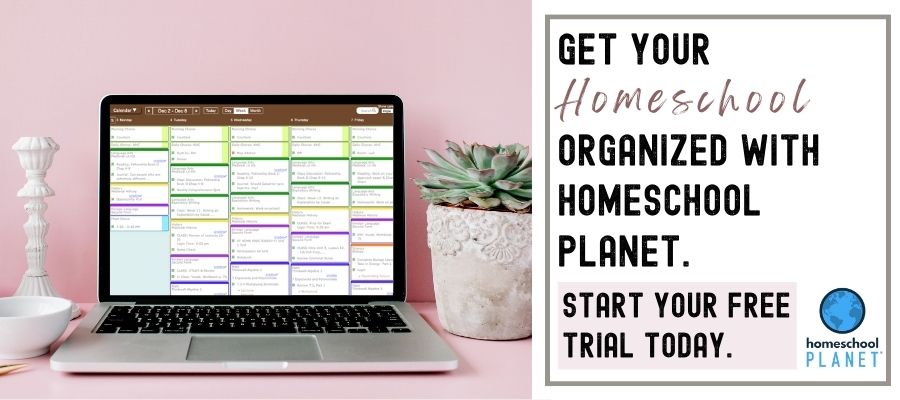
Homeschool Planet is one of the more established online homeschool planners, and it leans heavily into structure. If you like seeing your entire year mapped out and don’t want to rebuild lesson plans from scratch, that’s where it stands out.
One thing I noticed quickly is how easy it is to move assignments when a week doesn’t go as planned. Instead of crossing things out, you push them forward and the rest adjusts with it. Attendance and grading stay tied to the right lessons, which saves time later.
It also includes built-in lesson plans from several curriculum providers, so if you use one of those programs, setup can be faster. That said, it’s better suited to families who want a fairly organized, system-based approach rather than something ultra-minimal.
Homeschool Tracker
Homeschool Tracker feels more focused on the record-keeping side of homeschooling. If you’re the type who wants detailed reports, clear grading categories, and transcripts that are ready when you need them, this is where it leans strongest.
When I looked at it, what stood out wasn’t flashy design but how much control you have over the data. You can reuse lesson plans, adjust grading weights, and decide how much information gets tracked for each student. It’s not complicated once you’re inside it, but it does assume you care about keeping accurate records.
If your main priority is documentation, especially for older students, it tends to feel more like an organized system than a casual planner.
Looking for something simpler? Here are other homeschool lesson planner options.
Additional Online Planners
- Ultimate digital homeschool planner undated perfect if your homeschool year doesn’t align with the regular school year.
- Homeschool Panda offers a dedicated and comprehensive online solution designed specifically to meet the unique requirements of homeschooling families.
- Google Calendar is a user-friendly digital tool that simplifies scheduling and time management, allowing individuals to organize events, set reminders, and seamlessly share calendars for efficient planning and coordination.
Last Updated on 3 March 2026 by Clare Brown
