
Homeschool GPA Calculator

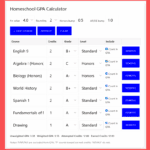
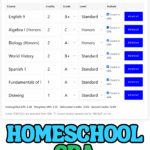
This homeschool GPA calculator works out weighted and unweighted GPA for high school transcripts or middle school classes.
Use credits for high school courses, or switch to no-credit mode to count every class equally.
GPA Calculator
Calculate weighted or unweighted GPA using credits or by counting every class equally.
| Course | Credits | Grade | Level | Include |
|---|
See how this GPA was calculated
| Course | Credits | Grade | Level | Unweighted Points | Weighted Points |
|---|
GPA = total quality points ÷ total credits.
P/NP/W/I are excluded from GPA. “P” counts toward earned credits; NP/W/I do not. Weighted GPA settings can be adjusted to match your homeschool grading policy.
How to Use the Homeschool GPA Calculator
Choose whether to calculate GPA with credits or without credits, then select letter grades or percentages.
For high school courses, add the credit value for each class (typically 1.0 for a full-year course or 0.5 for a semester). For middle school GPA without credits, choose No credits and every class will count equally.
Add the grade and course level: Standard, Honors, AP/IB, or Dual Enrollment. The calculator automatically shows both your weighted and unweighted GPA.
You can adjust the Honors, AP/IB, and Dual Enrollment weighting to match your grading policy. Select See how this GPA was calculated to check the calculation for each course.
Understanding Weighted and Unweighted GPA
An unweighted GPA uses a standard 4.0 scale, where an A = 4.0, B = 3.0, C = 2.0, D = 1.0, and F = 0. Course difficulty doesn’t change the GPA points.
A weighted GPA gives extra points for more challenging classes. This calculator starts with +0.5 for Honors and +1.0 for AP/IB and Dual Enrollment courses, but you can change these values to match your grading policy.
There isn’t one universal weighted GPA scale. Colleges may also recalculate GPA using their own system, so it’s helpful to include your grading scale and weighting policy on a homeschool transcript.
Letter Grade to GPA Scale
The calculator uses this standard 4.0 GPA scale for letter grades:
| Letter Grade | GPA Points |
|---|---|
| A+ | 4.0 (or 4.3 if selected) |
| A | 4.0 |
| A- | 3.7 |
| B+ | 3.3 |
| B | 3.0 |
| B- | 2.7 |
| C+ | 2.3 |
| C | 2.0 |
| C- | 1.7 |
| D+ | 1.3 |
| D | 1.0 |
| D- | 0.7 |
| F | 0.0 |
If you enter percentages instead, the calculator automatically converts each percentage to the corresponding letter grade and GPA points.
Middle School GPA Calculator Without Credits
Middle school classes often don’t use high school-style credits. Select No credits in the calculator and every included class will count equally toward the GPA.
For example, if the grades are A, B+, A-, B, and A, the calculator converts each grade to GPA points, adds them together, and divides the total by five.
You can also enter percentages instead of letter grades, making this useful for checking a middle school GPA even when no course credits have been assigned.
High school-level courses completed during middle school, such as Algebra I or a foreign language, may later appear on a high school transcript depending on your homeschool’s credit and transcript policy.
Using GPA on a Homeschool Transcript
Your homeschool GPA is just one part of the high school transcript. Keep the calculation easy to understand by using course titles, grades, credits, and a consistent grading scale.
For each school year, record the GPA and keep a cumulative GPA as your student progresses through high school. You may choose to show both weighted and unweighted GPA.
Include your grading scale and explain how Honors, AP/IB, Dual Enrollment, and repeated courses are handled. For dual enrollment courses, follow the credit policy you’re using rather than assuming one conversion applies everywhere.
Once you’ve calculated the GPA, you can use it when updating a transcript, completing college applications, or applying for scholarships.
More Homeschool Help
Use the attendance calculator to keep your attendance records organized, or see my guide to homeschool record keeping.
You can also explore the homeschool planning tools or compare the best high school curriculum when planning the next school year.
Last Updated on 27 August 2026 by Clare Brown
