
Cipher Generator

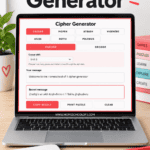
Create secret messages, coded clues, and printable puzzles with this free cipher generator. Choose from seven different ciphers, enter your message, and the tool will encode it instantly.
You can also switch to Decode to work out coded messages.
Cipher Generator
Create and decode secret messages using Caesar, Pigpen, Atbash, Vigenère, A1Z26, ROT13 and Polybius ciphers.
Choose a cipherSelect each symbol in your coded message in order. Use Space between words.
How to Use the Cipher Generator
Choose the cipher you want to use, then type your message into the box. Your secret code will appear automatically.
The generator includes:
- Caesar cipher – shifts each letter by a number of places you choose.
- Pigpen cipher – replaces letters with symbols made from grids and crosses.
- Atbash cipher – reverses the alphabet so A becomes Z, B becomes Y, and so on.
- Vigenère cipher – uses a keyword to create changing letter shifts.
- A1Z26 cipher – changes letters into numbers, with A = 1 through Z = 26.
- ROT13 – shifts every letter 13 places.
- Polybius Square – converts letters into row and column coordinates from a 5 × 5 grid.
Select Encode when you want to create a coded message or Decode when you already have one to solve.
For Pigpen decoding, use the symbol keyboard to select the symbols in your message.
Create a Printable Cipher Puzzle
Once you’ve created a secret message, select Print Puzzle to turn it into a ready-to-use code-breaking activity.
The printable version includes the coded message, instructions explaining how that particular cipher works, and space to write the answer.
Some ciphers need additional information to make them solvable. The Pigpen puzzle therefore includes the full Pigpen cipher key, while the Polybius version includes the Polybius Square.
This makes the generator particularly useful for creating clues for escape rooms, treasure hunts, mystery games, or just challenging someone to crack a secret message.
Which Cipher Should You Choose?
For an easy introduction to secret codes, A1Z26, Atbash, and ROT13 are good places to start. The pattern is fairly simple once you understand the rule.
Caesar cipher gives you more control because you can choose the shift. Try changing it from the traditional shift of 3 to make your code less predictable.
For something more visual, choose Pigpen. Instead of scrambling letters or replacing them with numbers, it turns the message into symbols. This is one of my favorites for escape room clues because the finished message actually looks like a secret code.
Vigenère is more challenging because the shift changes throughout the message according to a keyword.
Polybius sits somewhere in between. Once you understand how to read the grid coordinates, it’s fairly straightforward to solve.
More Ways to Create Secret Codes and Puzzles
If you’re putting together a puzzle or escape room, you don’t have to stick to one type of code.
Use my Morse code generator to turn clues into dots and dashes, or make text harder to read with the reverse text generator.
You can also create a hidden-message challenge with the word maze generator, make a visual clue with the rebus puzzle generator, or explore all of my random generators.
Mixing two or three puzzle styles works especially well for an escape room. For example, one decoded Caesar cipher could reveal the location of a Pigpen clue, which then leads to the final answer.
