Puzzle Generators

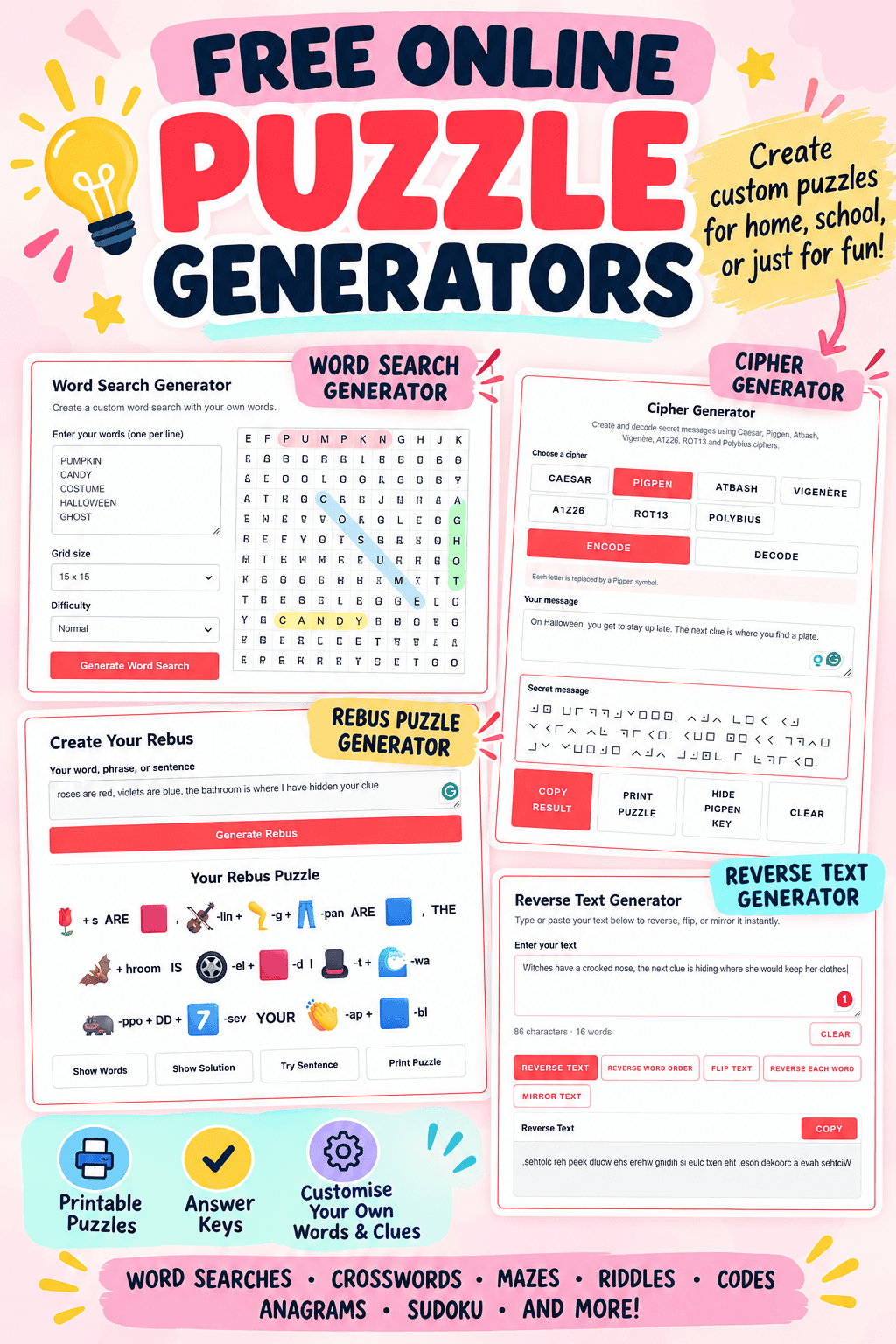
These free online puzzle generators make it easy to create custom puzzles for the classroom, at home, or just for fun.
Choose from word searches, crosswords, mazes, riddles, codes, anagrams, and more, with options to create puzzles using your own words and ideas.
Many of the puzzle makers also include printable versions and answer keys, so you can create an activity and use it straight away.
They’re free to use online, with no signup or software to install.
Choose a Puzzle Generator
Create Your Own Puzzles Online
Instead of using a ready-made puzzle, these tools let you create activities around the exact topic you’re teaching, practicing, or playing. Add your own vocabulary, clues, questions, messages, or themes to make a puzzle that fits what you need.
The options vary by generator, with features including difficulty levels, printable puzzles, answer keys, audio and flashing Morse code, multiple cipher types, escape room modes, and custom categories.
Word Search Generator
Create a custom word search using your own words with the free word search generator. Add your word list and generate a ready-to-use puzzle with a separate answer key.
You can create puzzles around any subject or theme, making it useful for vocabulary and spelling practice, classroom review, holiday activities, and just-for-fun word challenges. Print the finished puzzle when you’re ready to use it.
Crossword Puzzle Generator
Make your own crossword with the crossword generator by entering the words and clues you want to include.
Because you control the answers and clues, you can create a custom puzzle for almost any topic, from spelling and vocabulary to history, science, books, and trivia. Generate the crossword and use the answer key to make checking completed puzzles easy.
Word Scramble Generator
Turn any list of words into a custom puzzle with the word scramble generator.
Add your own spelling words, vocabulary, names, or themed terms and the generator scrambles them for you. This makes it easy to create personalized word challenges for lessons, review activities, holidays, parties, or just for fun without having to scramble every word yourself.
Word Maze Generator
Create a completely different type of word challenge with the word maze generator.
Choose from easy, medium, or hard puzzles, or switch on Escape Room Mode to create a challenge for a homemade escape room. Once your maze is generated, you can print both the puzzle and its answer, making it easy to create a new activity whenever you need one.
Anagram Generator
Enter a word or phrase into the anagram generator to discover words that can be created by rearranging its letters.
Instead of trying to find every possible combination yourself, use the generator to quickly create anagram challenges, vocabulary activities, word games, or clues for scavenger hunts and escape rooms.
Cipher Generator
Turn ordinary text into secret code with the cipher generator, or use it to decode a message you’ve already been given.
Choose from Caesar cipher, Pigpen cipher, Polybius square, and Atbash, then enter your own message to encode or decode. It’s an easy way to create custom secret-message puzzles for escape rooms, scavenger hunts, classroom activities, or code-breaking challenges.
Morse Code Generator
Use the Morse code generator to translate regular text into Morse code or decode Morse code back into text.
It goes beyond a basic translator: you can hear the Morse code, see it displayed as flashing signals, and create your own coded-message puzzles. This makes it useful for learning Morse code as well as creating clues for scavenger hunts and escape rooms.
Reverse Text Generator
Transform any message with the reverse text generator. Enter your text and choose from reversed, upside-down, mirrored, or flipped text.
It’s a quick way to turn an ordinary sentence into a secret message or unusual puzzle clue, particularly for treasure hunts, scavenger hunts, classroom challenges, and homemade escape rooms.
Rebus Puzzle Generator
Turn words and phrases into visual clues with the rebus puzzle generator.
The generator changes the way words, letters, and symbols are displayed to create a rebus for someone else to solve. Use it to make brain teasers, classroom challenges, party games, or another style of clue for an escape room or scavenger hunt.
Riddle Generator
Create instant riddles with the riddle generator, with options for different themes and difficulty levels.
You can generate a new riddle whenever you need one or create clues for scavenger hunts and escape rooms. Number-lock mode is particularly useful for escape rooms because it creates riddles with numerical answers that can be used as combination-lock codes.
Sudoku Generator
Create unlimited number puzzles with the Sudoku generator and choose the difficulty level that suits the player.
Generate a fresh Sudoku whenever you want another challenge, making it useful for logic practice, classroom brain breaks, quiet activities, or simply for anyone who enjoys solving number puzzles.
Connections Puzzle Maker
Build your own grouping game with the Connections puzzle maker using words and categories you choose yourself.
Create groups of related words around virtually any subject, then challenge players to work out how they connect. Because you control the content, you can make personalized Connections-style puzzles for lessons, parties, family games, holidays, or a particular interest.
Which Puzzle Generator Should I Use?
Choose what you want to create and jump straight to the best puzzle maker for the activity.
How to Make Your Own Puzzle
1. Choose a puzzle type. Start with the activity you want to create, such as a word search, crossword, maze, riddle, logic puzzle, or coded message.
2. Add your content. Enter your own words, clues, questions, or messages. Depending on the generator, you can also choose the difficulty level or customize how the puzzle is created.
3. Generate your puzzle. Create your puzzle and make another version if you want a different challenge. Many of the generators also let you print the finished puzzle and an answer key.
